Use the email address on your test device. We’ll email setup instructions after your access is ready. No date of birth is needed.
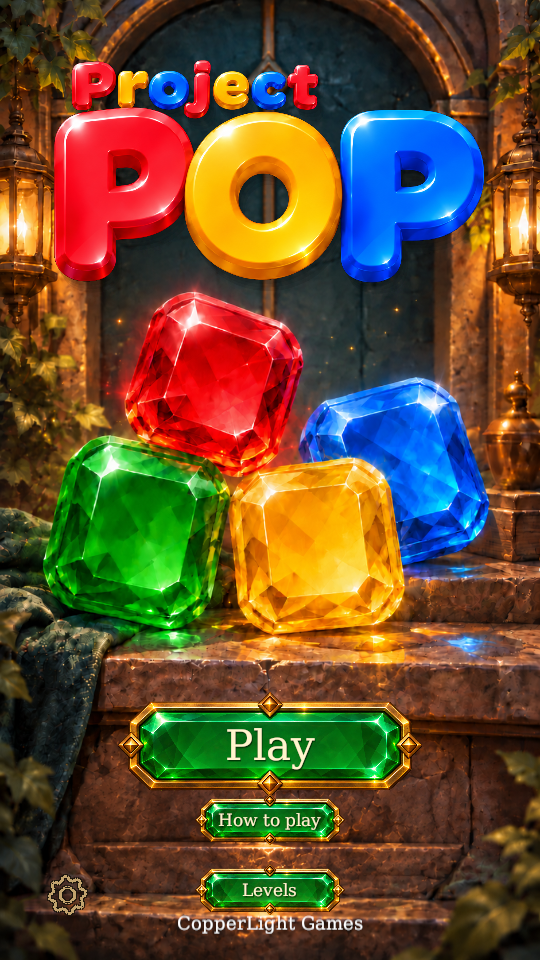
The POP home screenBrussels · Grand Place
Your next step
Choose your phone.
These links help invited testers install the beta. You’ll need a confirmed invitation; availability also depends on store approval. POP is distributed through TestFlight on iPhone and Google Play on Android.
iPhone
Install with TestFlight
Download Apple’s free TestFlight app using the App Store button below.
Open the separate invitation email from TestFlight on your iPhone, then tap View in TestFlight and accept the invitation.
In TestFlight, tap Install beside Project POP, then open it.
This App Store button downloads TestFlight. Your personal TestFlight invitation provides access to POP.
No invitation email yet? Check spam or junk, then contact us. Installing TestFlight alone does not enroll you.
Android
Join through Google Play
Confirm we’ve added the Google account you use in Google Play to the tester list.
Open the button below with that account and choose Become a tester when offered.
Follow the Google Play link to install Project POP. If POP is already installed, choose Update.
The button opens POP’s beta enrollment page. Access is limited to approved tester accounts.
“Not available” can mean you’re using an uninvited account or access is still being prepared. Ask us for help rather than deleting POP.
Keep your progress: update through the same store without deleting POP or clearing its data. Saves are stored on your device; this beta does not offer cloud save synchronization.
A few things to try
Play. Explore. Tell us what you notice.
Try How to play and a few scenes in Levels. Tell us what feels clear or confusing.
Use specialty gems and earned-coin packs. Check that their effects, counts and coin balance make sense.
Play briefly, close POP and reopen it. Confirm your progress and inventory remain.
Open and close the Gem Shop, switch apps or lock/unlock your phone. Look for clipped artwork, missing characters or unresponsive controls.
Try a little offline play, then reconnect. Report any freezes, heat, slowdown or recovery problems.
Once installed, use Settings → Privacy → Check beta connection. Expect a secure connection confirmation. Don’t use Request data deletion as a connection test.
This is a gameplay-only beta. Specialty packs use earned coins; real-money checkout is unavailable. You don’t need to finish every level to give useful feedback.
Help us improve
Small details make a big difference.
Tell us your phone model, operating-system version, POP build, scene or level, and what happened. A screenshot or short recording helps.
customerservice@copperlightgames.com iPhone testers can also send feedback through TestFlight.
Do I have to turn on reporting?
No. Gameplay Analytics and Crash reports are separate, optional choices for adults aged 18+. Testers aged 14–17 play with optional in-app reporting off. You can send feedback by email either way. See our privacy notice for details, including platform testing data.
Can I share this page?
You can share this page so others can request an invitation. Sharing the page doesn’t grant tester access. Keep personal TestFlight invitation links for the intended recipient.
Where can I get installation or save help?
Visit Project POP Support. If progress looks wrong, keep the app and its data in place and contact us before trying a reset or reinstall.